
Joining a Virtual Session
Joining a virtual tutoring session on Wise is quick and seamless, thanks to integrated Zoom support.
A) Before the session starts
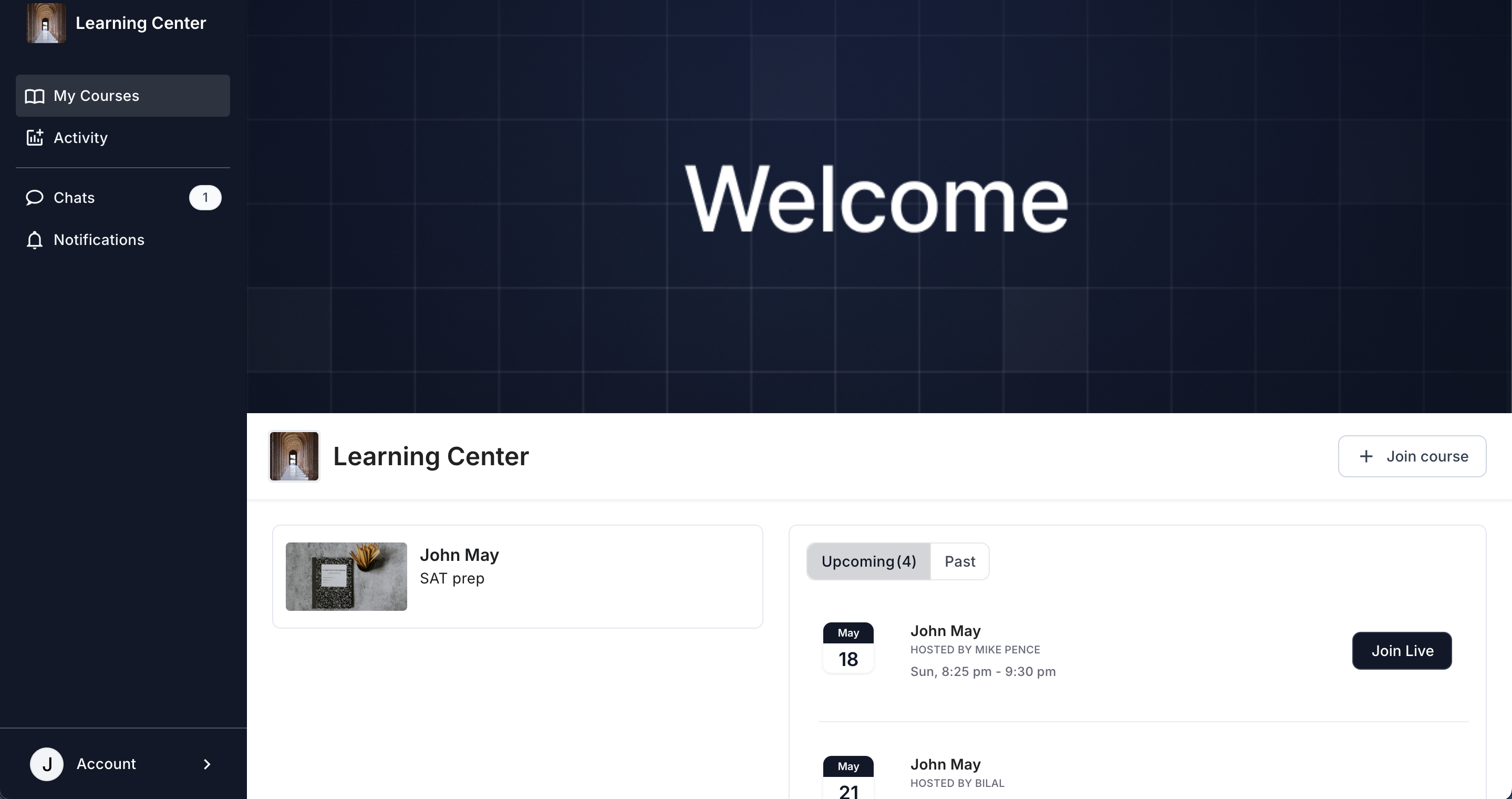
After logging into your portal, you would see the courses and your schedule on the homepage.

B) Once the session is live
You will see a Join Live button on your home screen. Simply join the session by clicking on this button.
C) Feedback form after the session ends
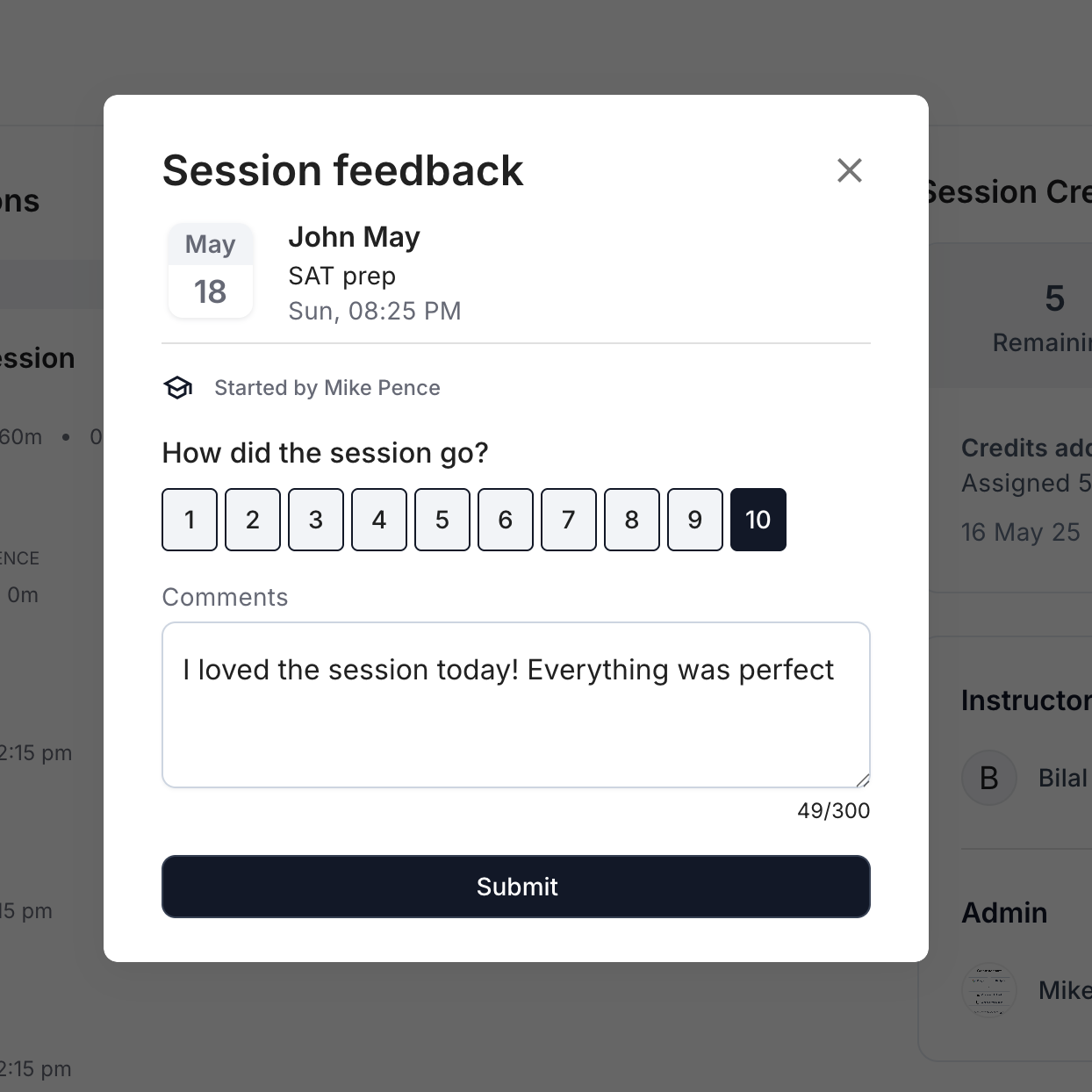
After the session ends, you may see a session feedback form. The rating scale goes from 1 to 10.